

Flexible Project Management for Different Complexity
ProjectCenter+ is built around project management and provides flexible ways to manage work of different complexity: lightweight scenarios can be managed through file libraries, while complex projects can be driven by tasks, schedules, and deliverables.
Not All Work Fits the Same Project Management Approach
Lightweight Work Can Become Over-Processed
Teams often use heavy project tools for simple file sharing and temporary collaboration, adding unnecessary overhead.
Complex Projects Need Structured Execution
NPI, agile development, and system implementation require task breakdown, schedule tracking, and deliverable management to stay on track.
Tool Complexity Should Match Work Complexity
Using complex workflows for simple work, or folders alone for complex projects, leads to inefficiency or loss of control.
One Platform, Two Management Approaches
Use simple file libraries for lightweight work, and structured tasks for complex projects.
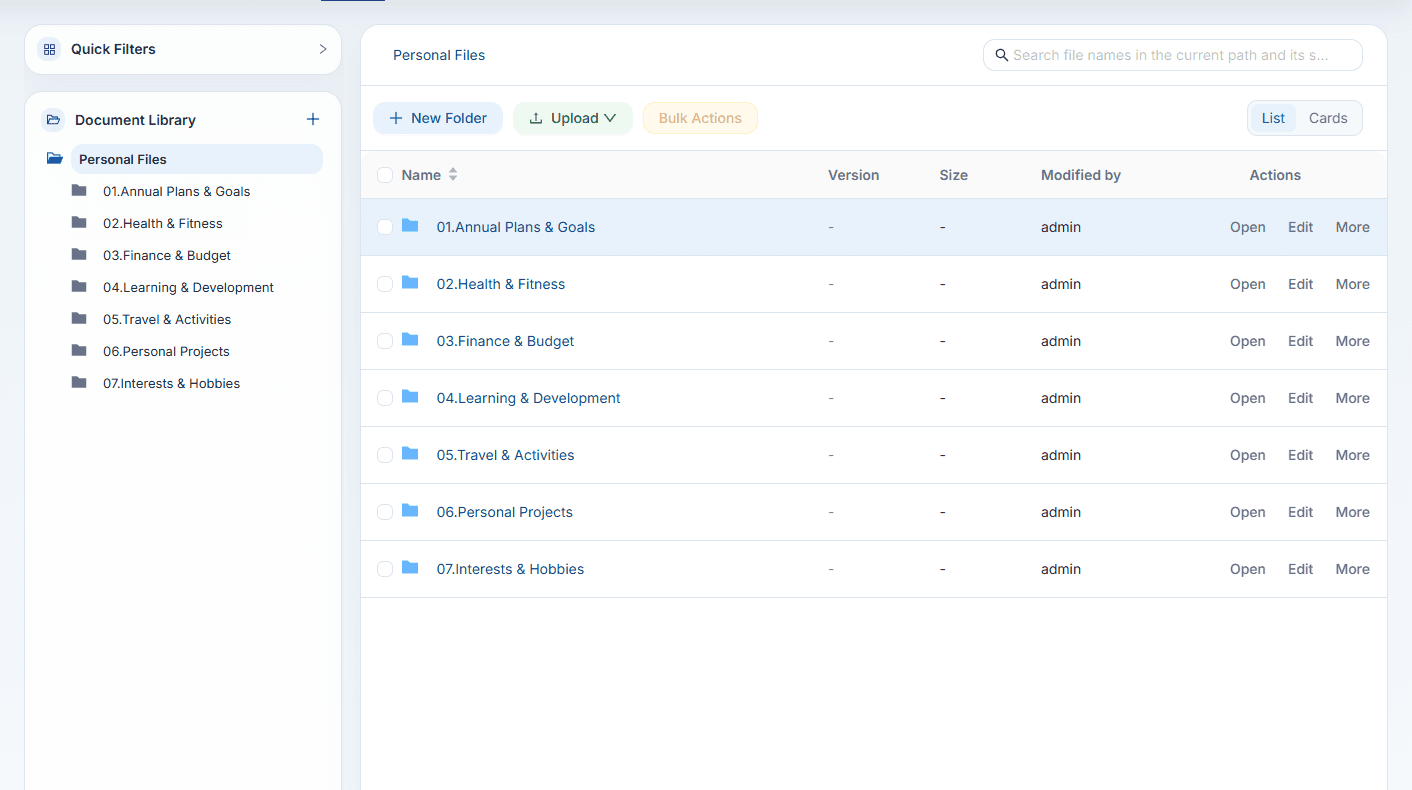
File Libraries
For Lightweight WorkA simple way to organize files, share materials, and support temporary collaboration.
- Easy file sharing
- Folder-based organization
- Permission control
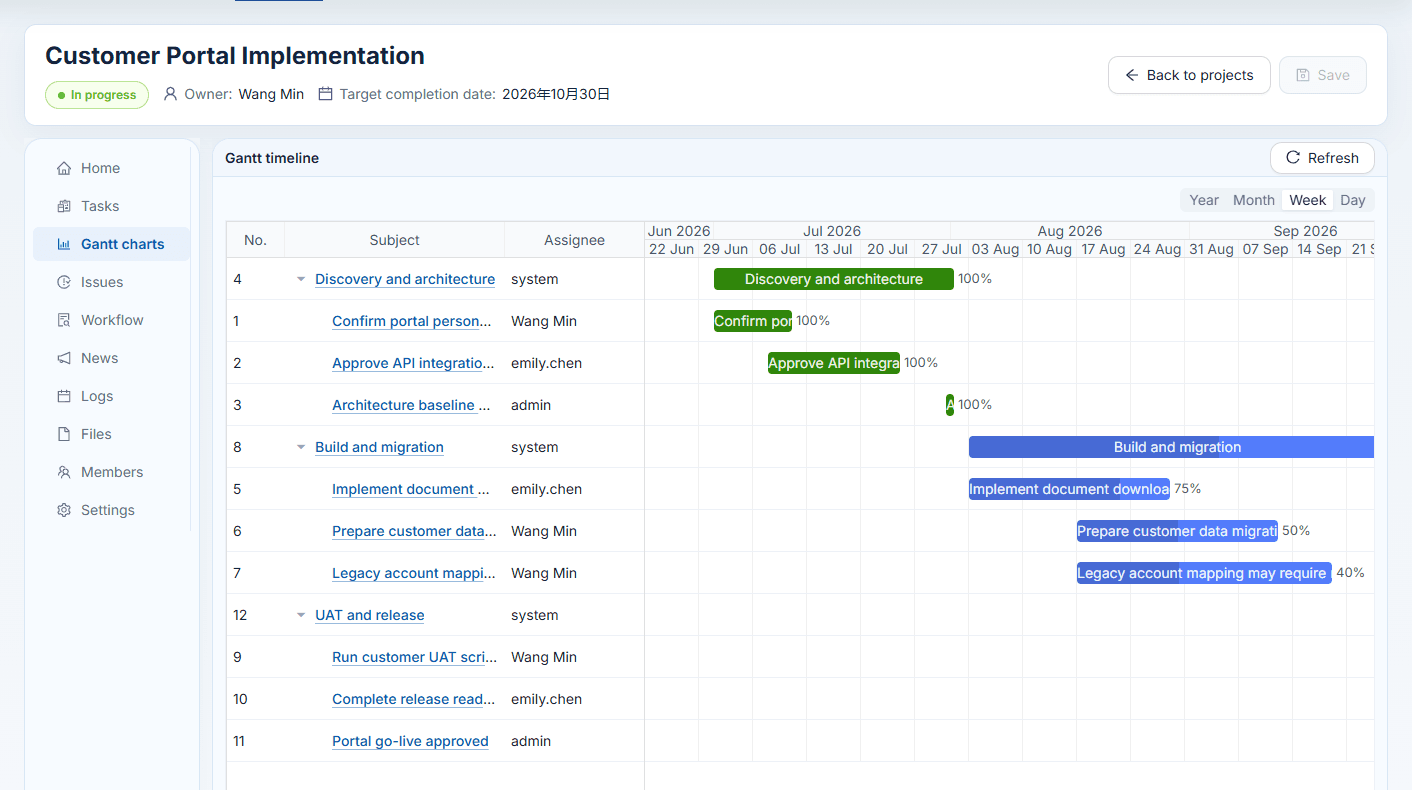
Structured Project Management
For Complex WorkManage tasks, schedules, and deliverables in a structured way for cross-functional execution.
- Task breakdown
- Schedule tracking
- Deliverable management
Core Capabilities
Plan projects, manage tasks, track deliverables, and organize project knowledge in one connected workspace.
Project Templates
Create structured projects from reusable templates, then keep phases, tasks, roles, and deliverables aligned from day one.
- Phase structure
- Role assignment
- Deliverable checklist
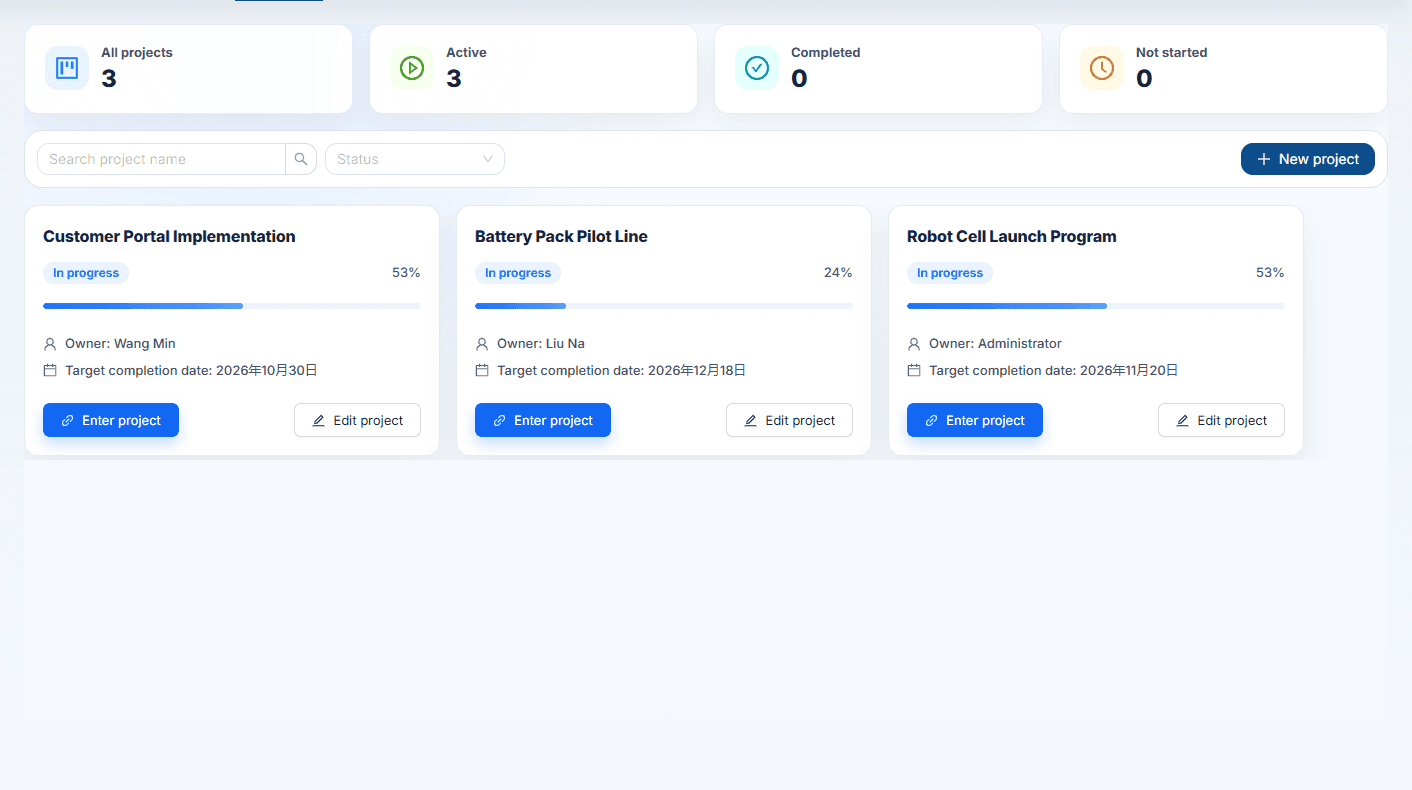
Task Management
Break work into responsible tasks, track progress, and adapt dynamic forms for different project types without losing execution clarity.
- Task ownership
- Custom fields
- Progress tracking
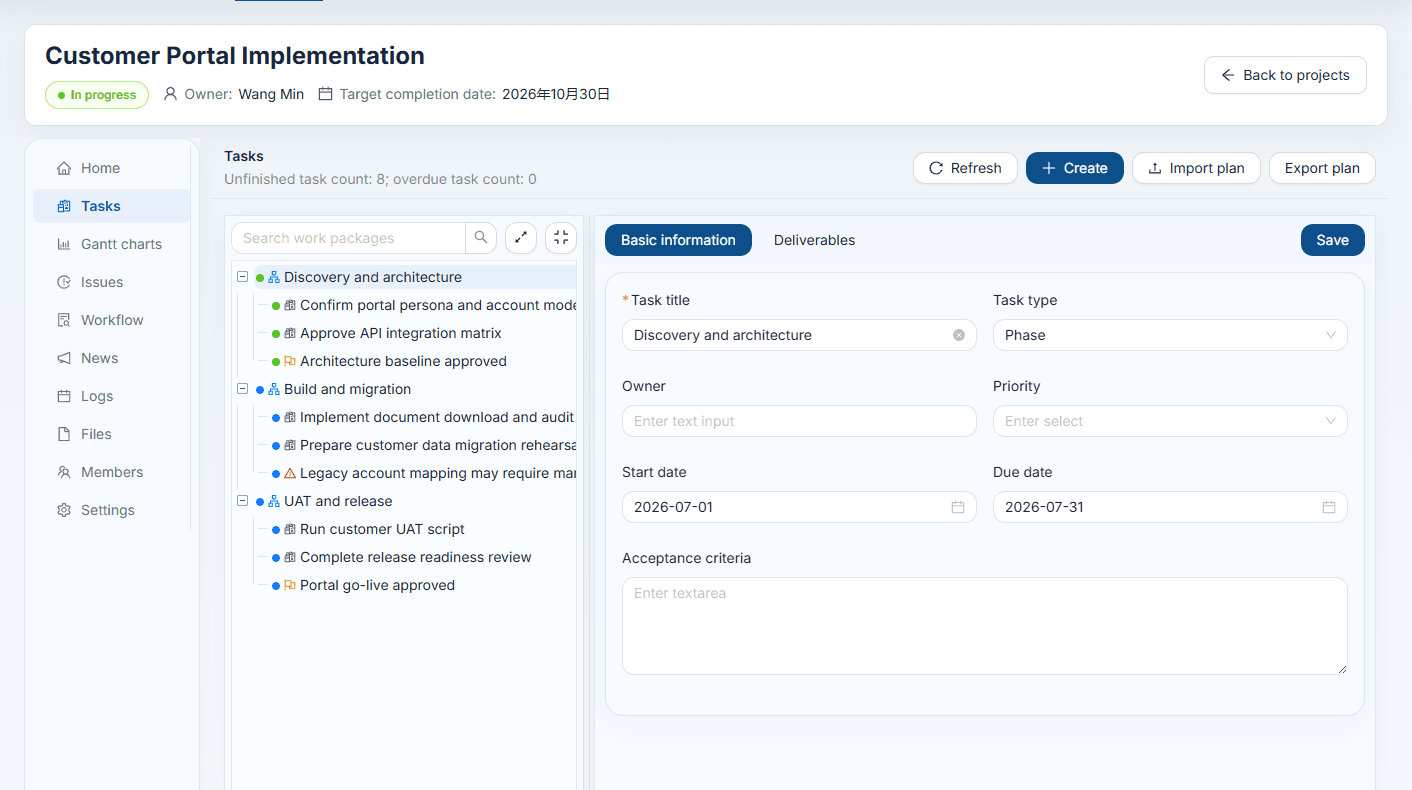
Gantt Charts
Visualize schedules, dependencies, and timeline risk in a single planning surface that teams can review quickly.
- Dependencies
- Milestones
- Timeline risk
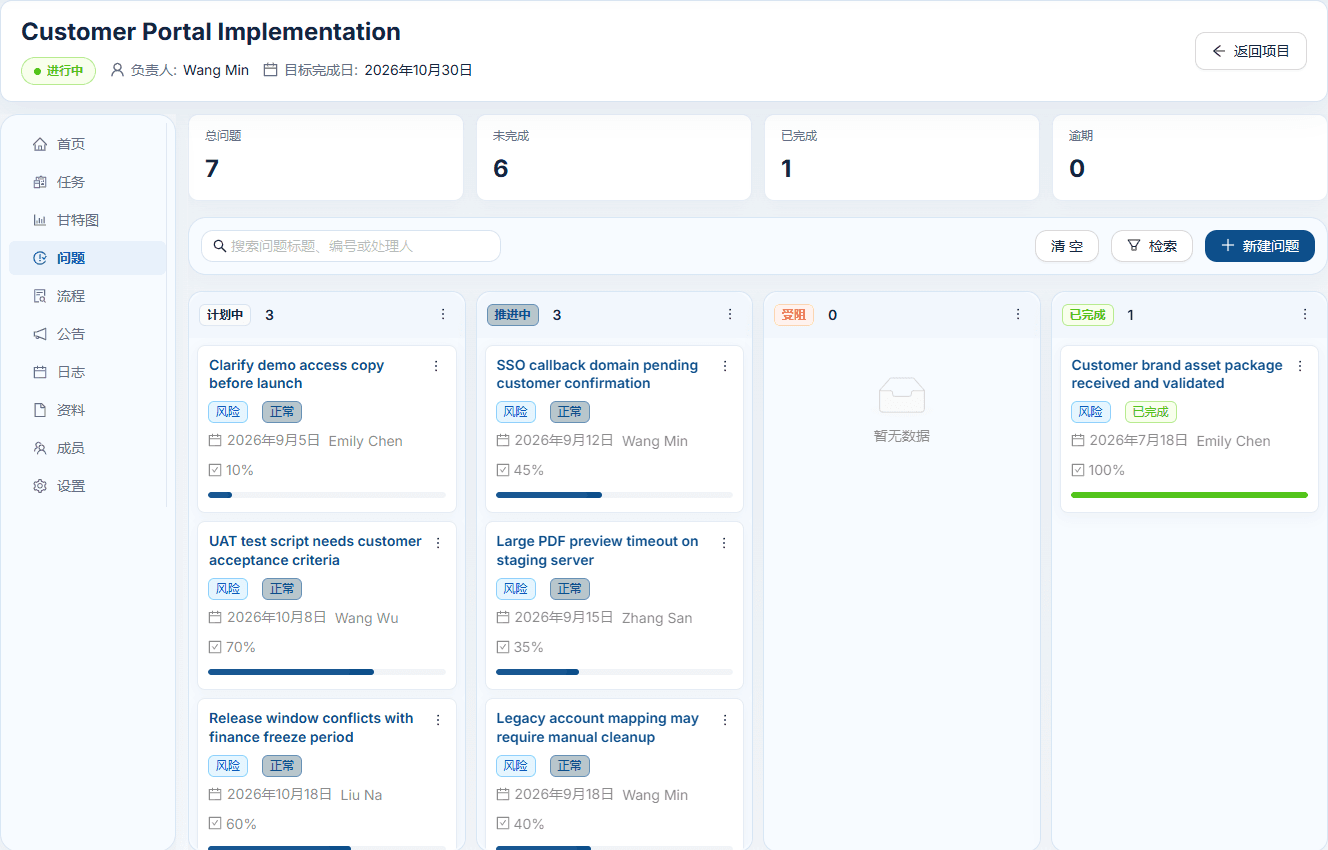
Issue Management
Track project issues, owners, priorities, and status changes so teams can resolve execution risks before they block delivery.
- Issue tracking
- Priority review
- Resolution ownership
File Workspace
Manage project packages, team libraries, and company document spaces with familiar folders, search, sharing, and permissions.
- Folder libraries
- Full-text search
- Permission control
AI-Powered Productivity
AI assists throughout project setup, document retrieval, form design, and process optimization, reducing manual work and improving efficiency.
AI-Assisted Project Template Creation
Generate project templates including phase structures, task breakdowns, role assignments, and deliverable definitions, reducing repetitive configuration.
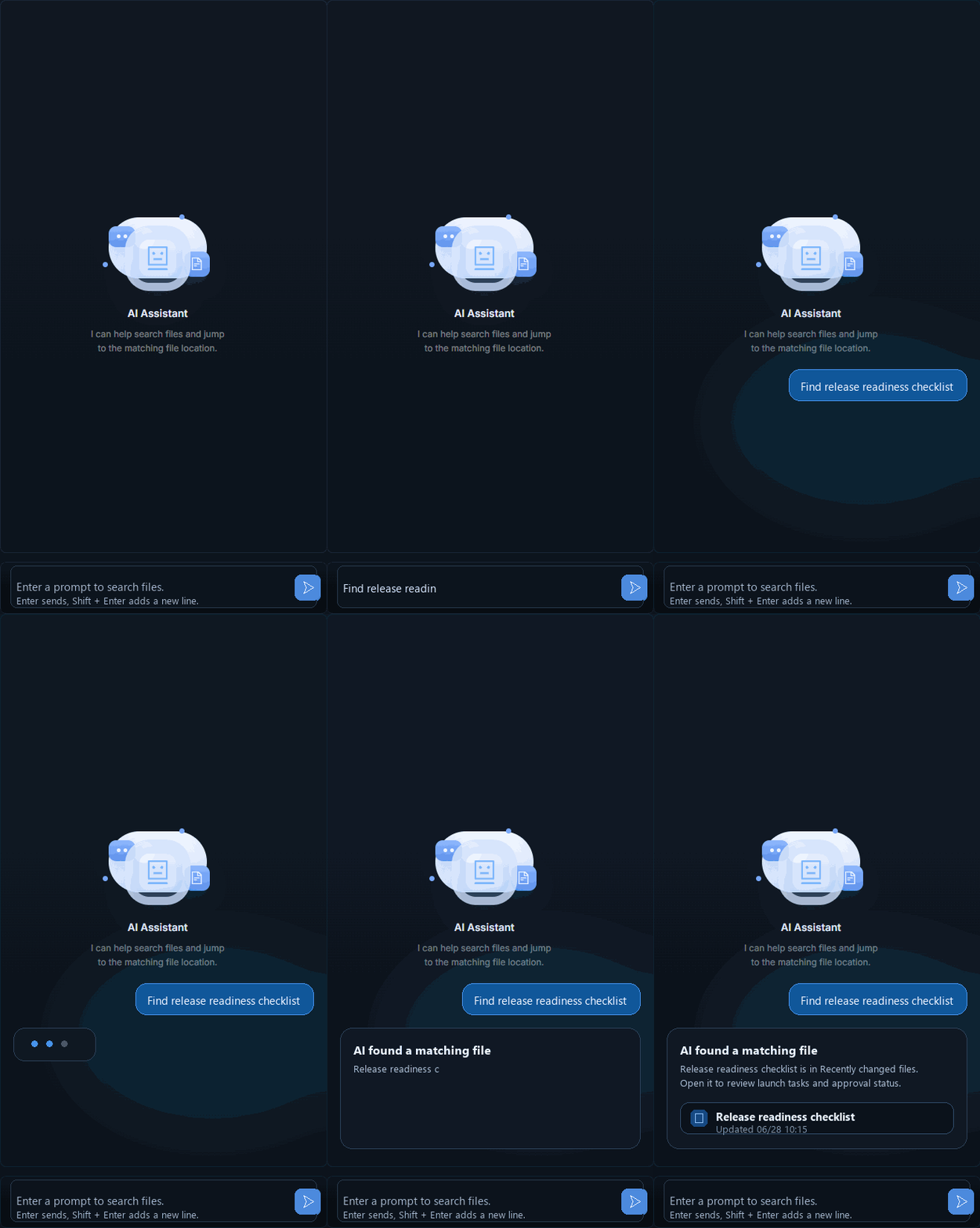
AI File Search
Intelligently search and ask questions across document content to quickly locate materials and retrieve key information.
Dynamic Form Generation
AI generates and adjusts form structures based on business scenarios, reducing manual configuration and improving data entry flexibility.
Dynamic Process Flow Design
AI generates and optimizes process flow diagrams to help teams clarify business processes and improve execution efficiency.
Private Deployment and Flexible Customization
Low-cost private deployment with source code included.
- Private deployment
- Source-code delivery
- Project template configuration
- Dynamic form extension
- Permission and organization configuration
- Enterprise process customization
Full stack source code
Frontend, backend, deployment scripts, and configuration are delivered together.
Run on your infrastructure
Deploy privately and keep runtime, data, and integrations under your control.
Adapt to business rules
Configure permissions, templates, forms, and workflows around your operating model.